
Theme
Cupones
DueñoAdministradorAs an Administrador you can create, edit, activate / deactivate and delete the business's coupons. The screen is exactly the same one the Dueño sees.
Your view
Go to Cupones from the sidebar. The module has two tabs:
- Panel — opens by default. Redemptions, discount granted, revenue, average ticket, redemptions per day, payment methods and the most-used coupons, over the period you choose.
- Cupones — the list and creation: search by code or description, filters (Todos / Activos / Inactivos / Expirados) and each coupon's actions.
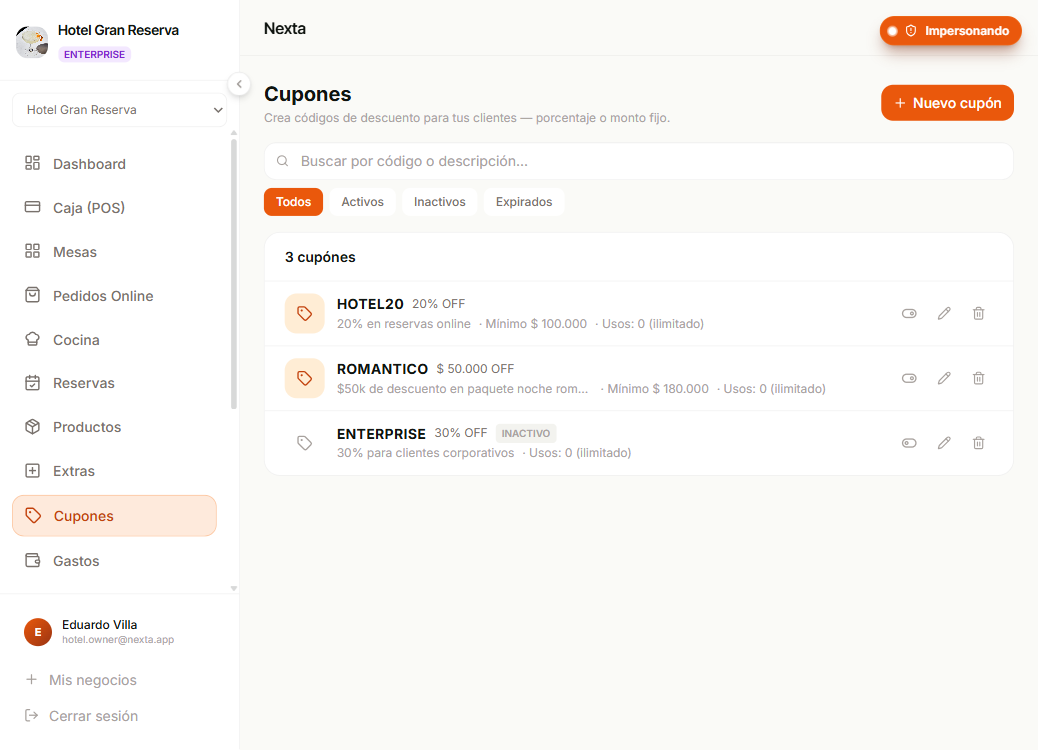
How to create a coupon
The full steps, typical use cases (welcome, seasonal, win-back), edge cases and all the rules live on the Dueño → Cupones page:
What's there applies to you exactly the same — the Administrador's and the Dueño's permissions are identical in this section.
A few rules worth remembering
- The coupon overrides a manual discount. If the cashier applies a coupon at checkout, any manual discount they entered is ignored.
- Editing a coupon doesn't affect orders already paid. Invoices keep the original discount — it only changes for future sales.
- An order carries a single coupon. Two can't be combined.
- Old orders survive even if you delete the coupon.
Minimal differences from the Dueño
| Action | Dueño | Administrador |
|---|---|---|
| Create / edit / delete coupons | Yes | Yes |
| Activate / deactivate | Yes | Yes |
| View usage history (reports) | Yes | Yes |
There are no practical differences — this page exists so you have coupons one click away in your Administrador sidebar.
Next step
- Dueño → Cupones — the full guide with examples and strategies.
- Charging at the POS — how a coupon is applied at the moment of payment.