
Theme
Equipo
AdministradorComo AdministradorAs an Administrador you can add members to the business, change their role and remove them — almost exactly like the Dueño, with two important restrictions.
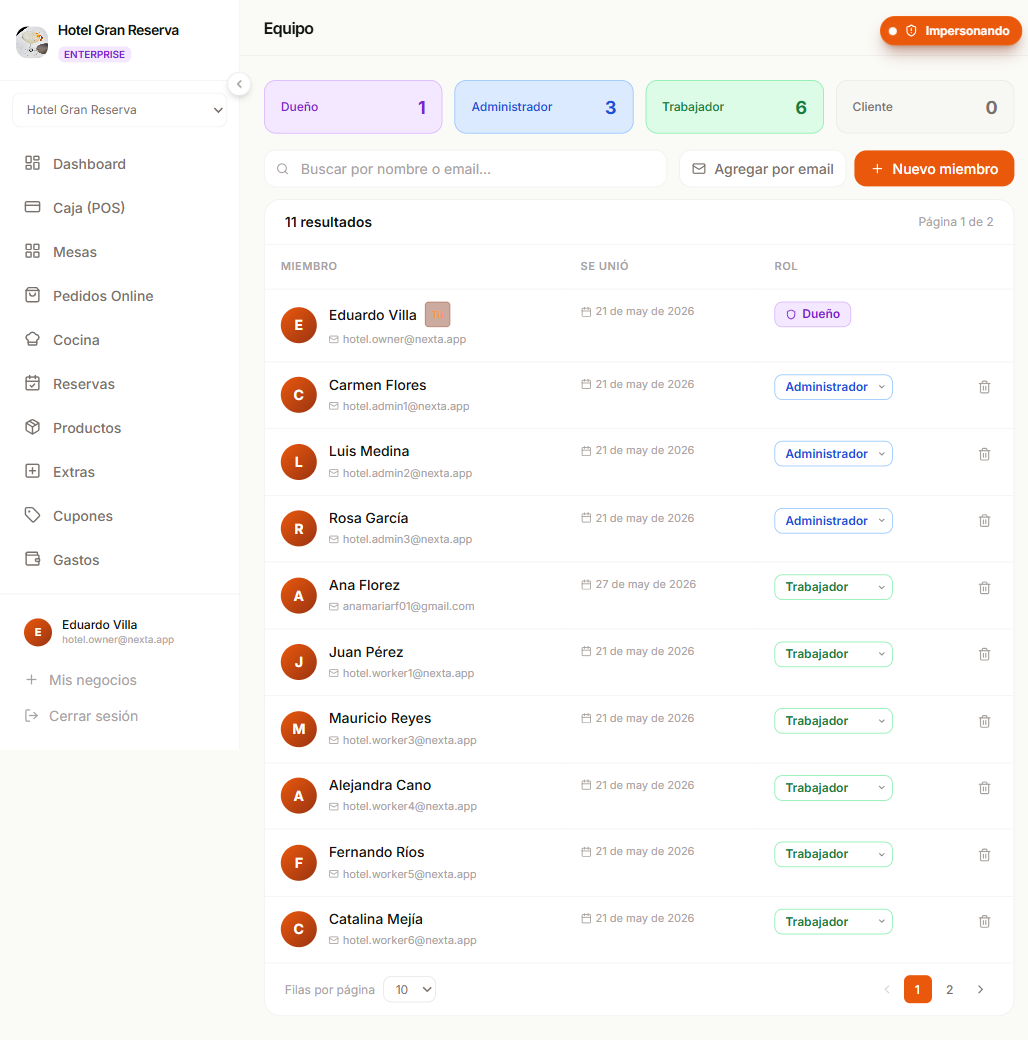
What you can do
- Add new members (with
Nuevo miembroorAgregar por email). - Change the role of any member between Administrador / Trabajador / Cliente.
- Remove members (except Dueños).
- See the order history of any member.
What you can NOT do
Two limits for Administradores
- You can't assign the Dueño role to anyone. Only another Dueño can.
- You can't remove a Dueño from the business. Only another Dueño can.
If you try either of these, the system blocks you with a clear message.
Why these restrictions
They exist to protect the business. If a disgruntled Administrador could:
- Remove the Dueño → the business would be left without an owner.
- Promote themselves to Dueño → they'd have access to billing, plan, dashboard.
These barriers prevent an abusive role change from locking someone out of their own business.
The screen and the flows
They are identical to the Dueño's. The full detailed guide lives there:
It covers:
- The two ways of adding someone (new account vs by email).
- Role-change rules in detail.
- How the Dueño role is transferred.
- Plan limits.
- Edge cases and protection rules.
- How the changes show up in the activity history.
Quick permissions table
| Action | Dueño | Administrador |
|---|---|---|
| View member list | Yes | Yes |
| Create new member (account + access) | Yes | Yes |
| Add existing member by email | Yes | Yes |
| Change role between Admin / Trabajador / Cliente | Yes | Yes |
| Assign Dueño role | Yes | — |
| Remove a Dueño | Yes | — |
| Change your own role | — | — |
If you need to do something that's blocked
- You need to promote someone to Dueño — ask a current Dueño.
- You need to remove a Dueño — only another Dueño can.
- You're the only Administrador and need to hand off your role — a Dueño can change your role.
Next step
- Dueño → Equipo — the full guide.
- Roles y permisos — what each role sees in the rest of the app.