
Theme
Public business directory
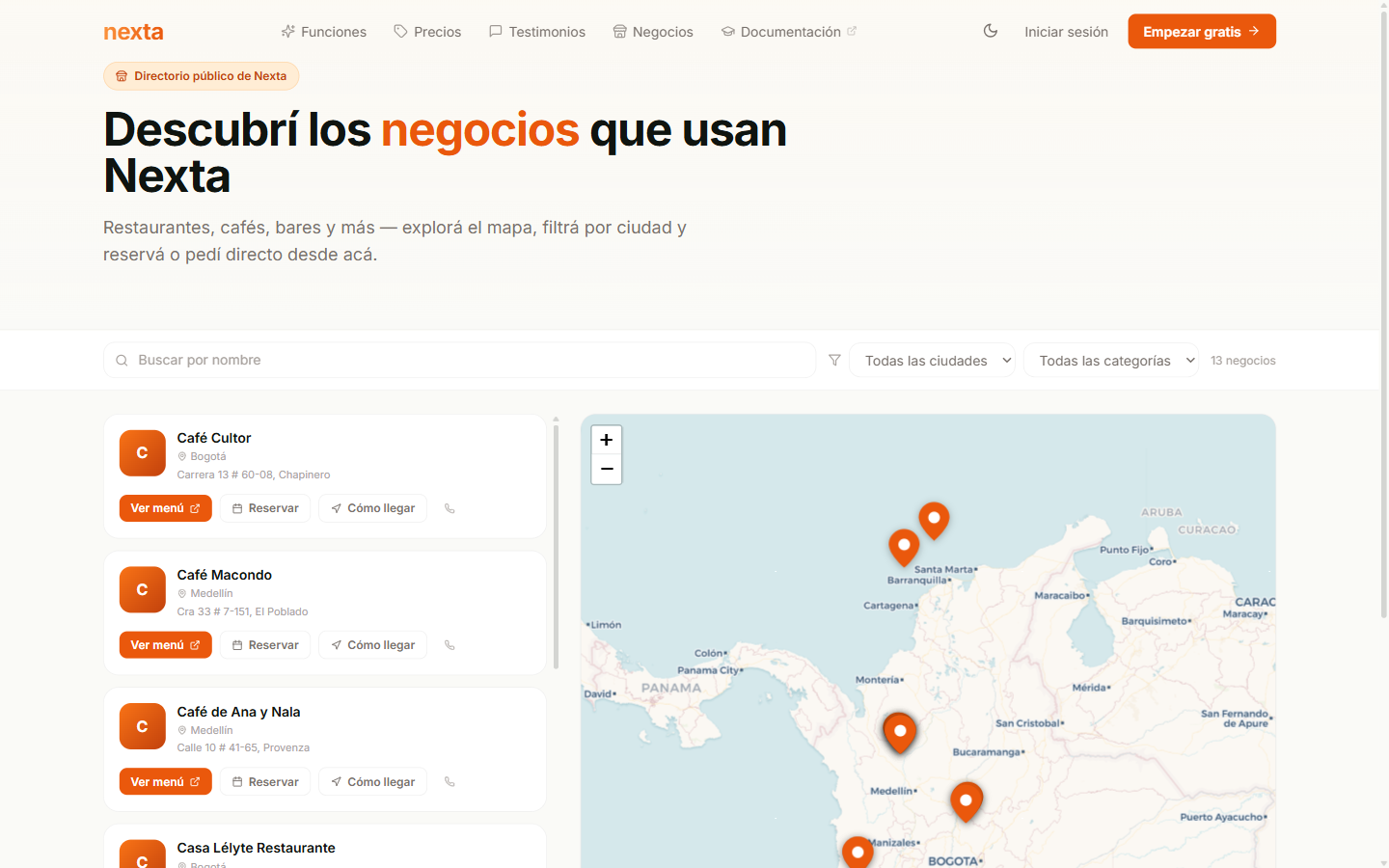
A brand-new page on the public landing: an interactive map of Colombia with all the active businesses on Nexta. Designed so end customers can discover restaurants, cafés and bars in their area without needing to know the exact URL.
It lives at nextapos.com/negocios and is free, with no extra setup: your business appears automatically when it meets the conditions listed below.
What the customer sees
Interactive map
- CARTO Voyager tiles (open source, clean look).
- One pin per active business — it highlights on hover; clicking opens a popup with the essential info.
- Synced with the side list: tapping a card flies to that point and opens the popup; tapping a pin scrolls the list to the matching card.
Side list
Each card shows:
- Business logo.
- Name + category with its icon.
- Full address and city.
- Action buttons: Ver menú, Cómo llegar (opens Google Maps with your address) and direct phone.
Filters
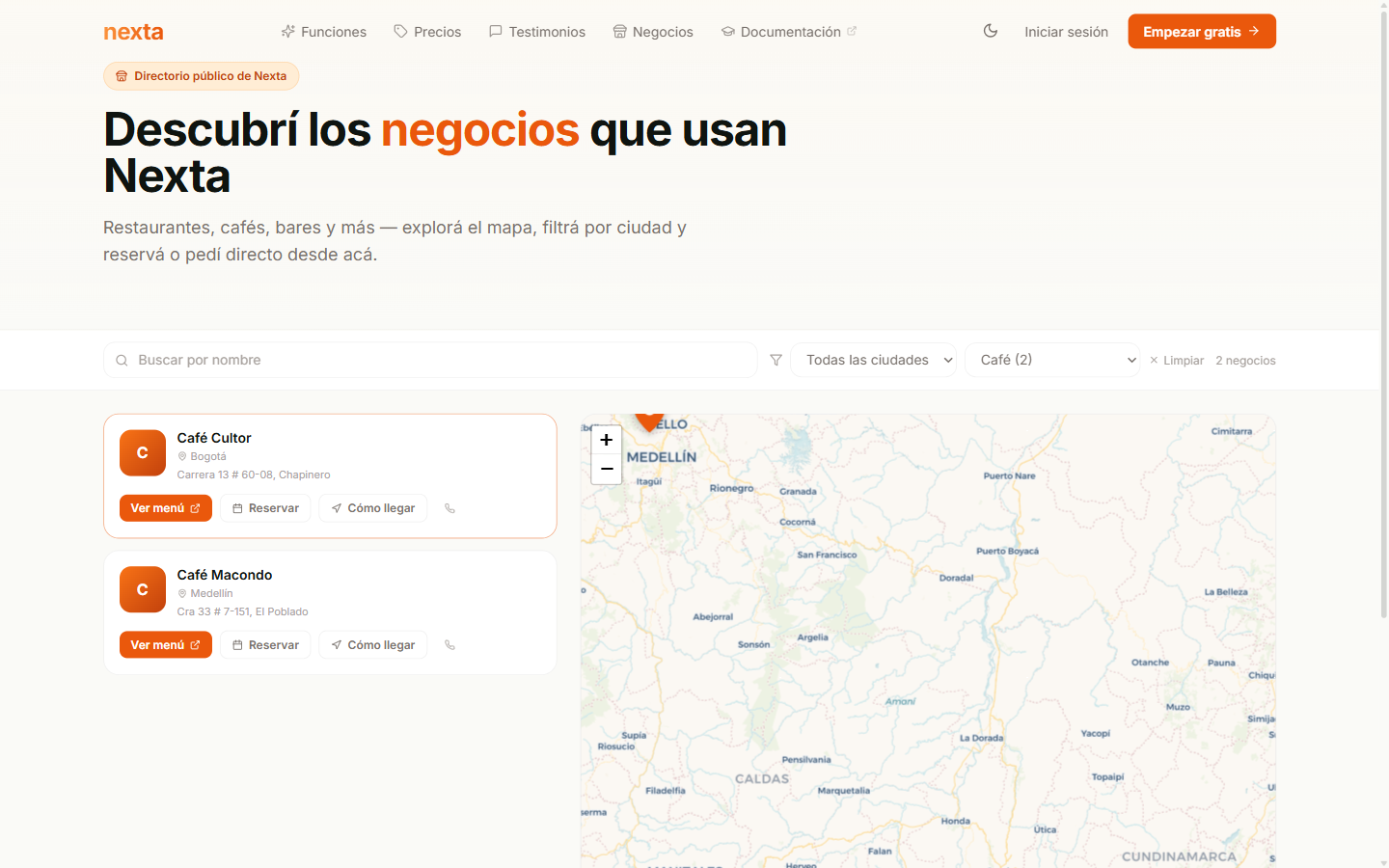
Above the list there are three filters the customer can combine:
| Filter | How it works |
|---|---|
| Buscar por nombre | Partial, case-insensitive search. |
| Ciudad | Dropdown with all available cities + the count in parentheses. |
| Categoría | Dropdown with the Lucide icon + name + count. Categories with no businesses still appear with (0). |
Business popup on the map
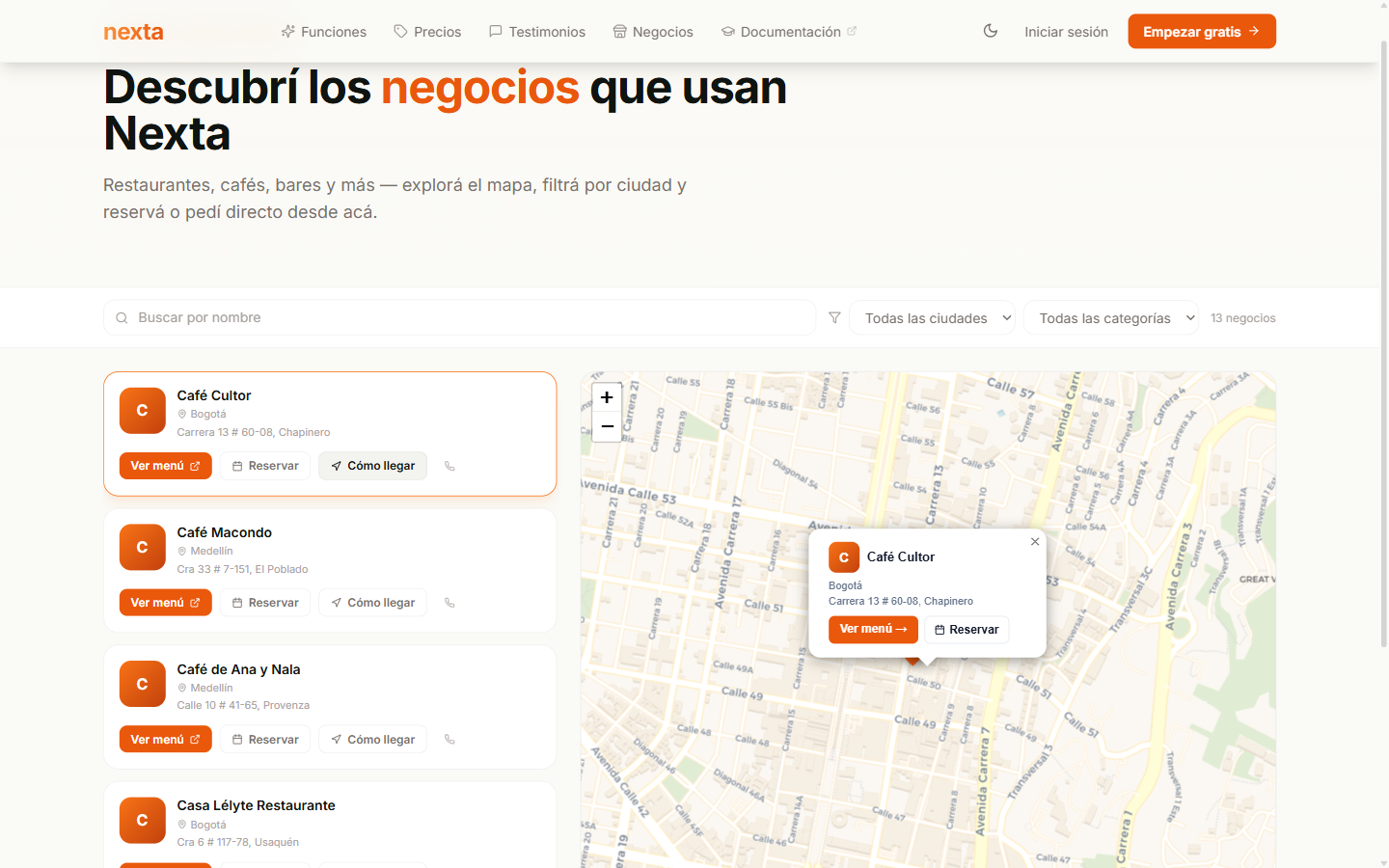
The popup that appears when clicking a pin includes:
- Your logo and name.
- Full city and address.
- Category with its icon.
- Ver menú button → takes you straight to
/menu/tu-negocio. - Cómo llegar button → opens Google Maps with directions from where the customer is.
- Clickable phone to call directly.
Mobile view
On small screens the page adapts with a Lista / Mapa toggle at the top — the customer switches between the two views by tapping the buttons.
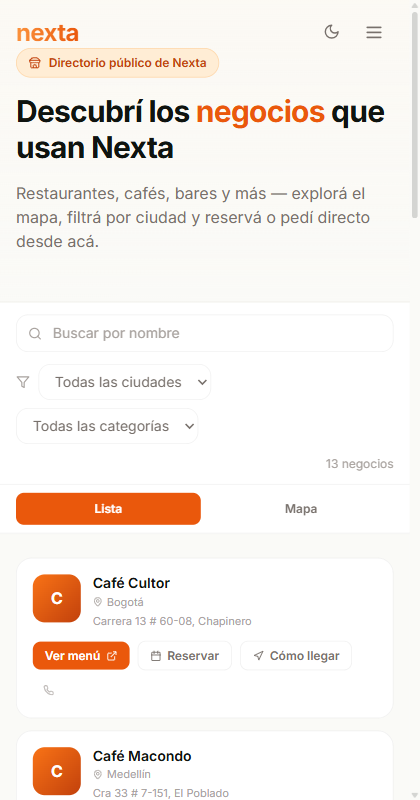
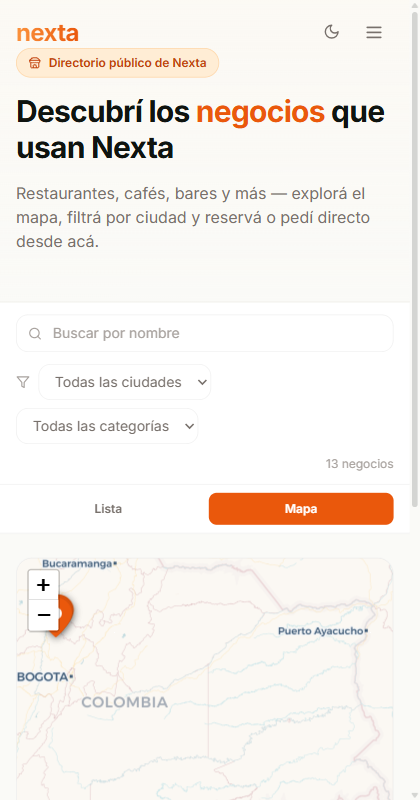
When tapping a card in List mode, it automatically switches to Map mode centered on that business — the customer doesn't have to tap anything else to see where it is.
How your business appears here
Your business appears automatically on nextapos.com/negocios when:
- Your subscription is in ACTIVA status.
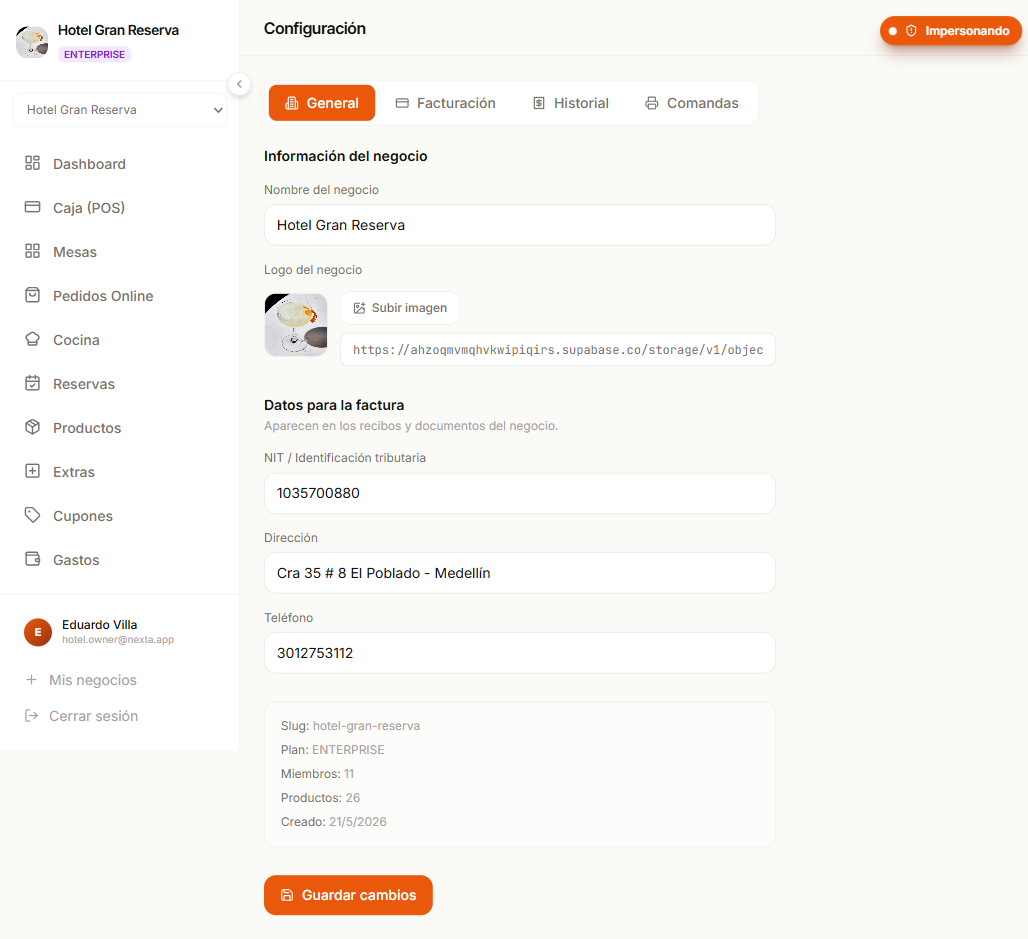
- You entered the address and the city from Configuración → General.
- Your business category was assigned (Café, Restaurante, Bar, etc.).
What you set up
From Configuración → General you indicate your business's address, city and category. Nexta handles the rest (geocoding, category icon, pin on the map) on its own. See the Configuración del negocio page for details.
Automatic geocoding
When you save the address, Nexta automatically geocodes the address into coordinates via OpenStreetMap. The pin on the public map appears without you having to do anything else. If geocoding fails (an unusual address, a neighborhood without street naming), the pin falls back to the city center — you will always appear on the map, even if only approximately.
If your city or category doesn't appear
The list of cities and categories is maintained by the Nexta team from the /superadmin/maps panel. If your city or business type doesn't appear in the available dropdowns, message us on WhatsApp and we'll add it quickly.
What it's for
- Organic discovery: customers who don't know you but search for "café near me" find you without paying any directory.
- Traffic to the online menu: the Ver menú button in the popup takes people straight to your public menu.
- SEO: the page is indexed on Google with
/negociosand each business referenced by slug.
Frequently asked questions
Does it cost extra to appear on the map? No. It's part of the active plan — all plans (Starter, Pro, Enterprise) appear.
Can I make my business stand out over the others? For now the order is alphabetical + by proximity to the map center. There is no paid ranking. If you are interested in a featured position (header, banner), message us.
What happens if I pause or cancel my subscription? Your business stops appearing on the public map as soon as the status changes from ACTIVE to anything else. It reappears as soon as you reactivate.
Do my competitors see my info? Only what is already public — name, address, city, category, menu. We don't expose metrics, sales or sensitive commercial info.